WineCore Guide · Digital Menu
How to digitize a restaurant menu: a practical guide to doing it right
Digitizing a restaurant menu no longer means simply uploading a PDF to the internet and generating a QR code. That can be a first step, but it is not always true digitization. Doing it right means turning the menu into a living system: organized, visual, easy to update and designed so guests can decide with fewer doubts.
A well-designed digital menu should help guests understand the offer better, make choosing easier, reduce mistakes on the floor, update prices and products with agility, show useful information and turn the menu into a commercial tool for the restaurant.
The problem is that many restaurants have digitized their menu superficially. You scan the QR code, a heavy PDF opens, the guest has to zoom in, prices are not always up to date and the experience is barely better than paper. Digitizing properly is something else.
In this guide we will look at how to digitize a restaurant menu step by step, what options exist, which mistakes to avoid, when a PDF is enough, when an interactive digital menu makes sense and how to turn the QR into an experience that helps sell more.
What you will find in this guide
- What digitizing the menu means
- Why digitize your menu
- QR, digital and interactive menus: the differences
- Options for digitizing
- PDF with QR: when it works and when it falls short
- From web menu to interactive menu
- Step-by-step guide (15 steps)
- The cost of continuing to print menus
- How to digitize a wine list
- Common mistakes
- How to choose the tool
- How to use it to sell more
- Downloadable checklist
- Comparison: physical, PDF and interactive
- Frequently asked questions
Fundamentals
What digitizing a restaurant menu means
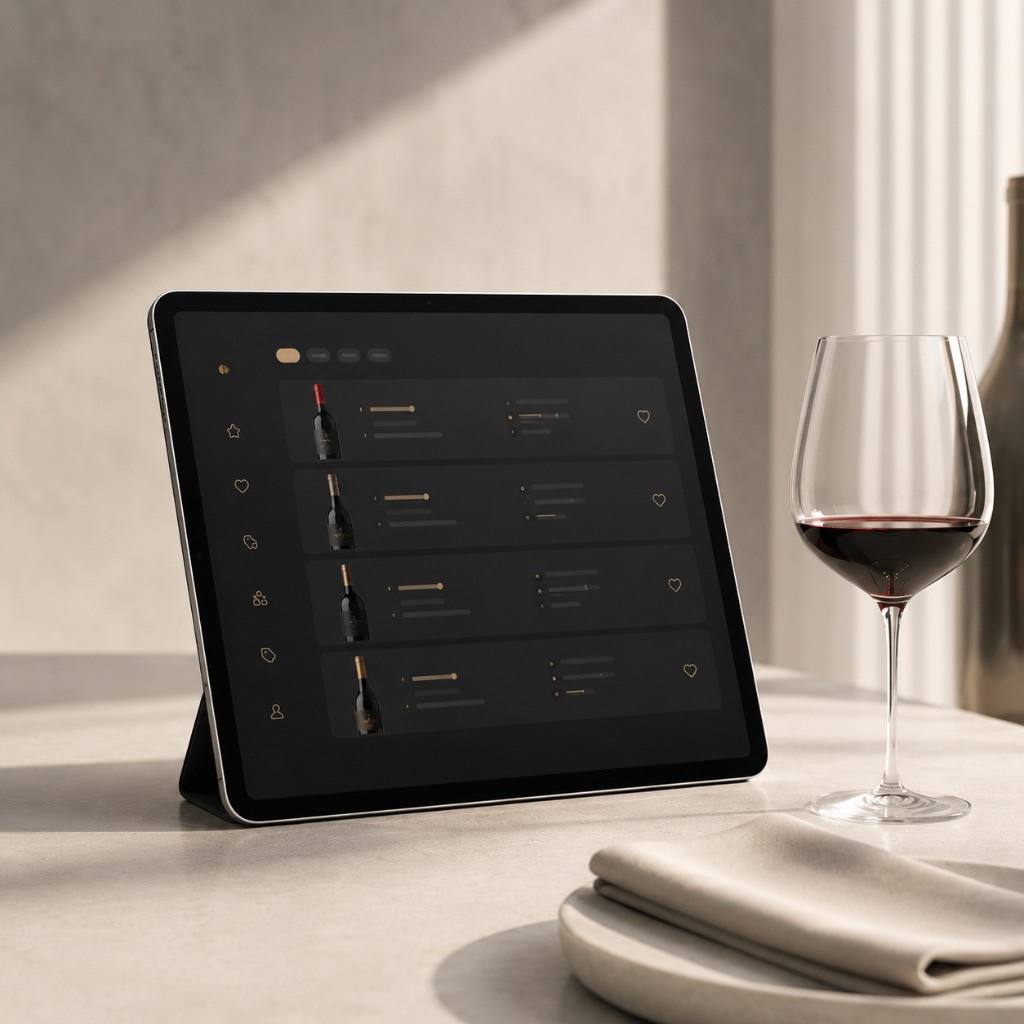
Digitizing a restaurant menu means converting the physical or static menu into a digital format accessible from a phone, usually through a QR code, a URL or a specialized platform.
But there are different levels of digitization:
PDF with QR
Upload a PDF and link it to a QR code. Guests scan and see the same document that used to be printed.
Mobile-friendly web menu
A web page or online menu adapted to mobile, with categories, prices, dishes, drinks and organized information.
Interactive menu
Guests navigate better, filter, see recommendations, check allergens, switch languages and discover featured products.
Digitizing is therefore not just changing the medium. It is improving the way guests browse, understand and decide.
A digital menu should meet three goals
- Help the guest choose more easily.
- Help the restaurant manage its offer better.
- Help the business sell its dishes, drinks or wines better.
If the digital menu meets none of these three goals, you have probably just swapped paper for a screen.
Benefits
Why digitize your restaurant menu
The menu is one of the most important elements of the restaurant. It is where guests decide what they will consume and how much they will spend. Digitizing it well can have a direct impact on the experience, operations and profitability.
- Update prices without reprinting.
- Hide out-of-stock products.
- Add new dishes or wines instantly.
- Show several languages.
- Include allergens in an organized way.
- Reduce worn-out physical menus.
- Avoid old versions in circulation.
- Improve reading on mobile.
- Highlight recommendations or profitable products.
- Make choosing easier for the guest.
- Reduce repetitive questions to the floor team.
- Measure which products generate the most interest.
Digitization should not be seen as a tech fad. Done well, it is a daily operational improvement.
Concepts
Digital menu, QR menu and interactive menu: not the same thing
Before starting, it is worth clarifying the terminology.
QR menu
Any menu accessed by scanning a QR code. It can be a PDF, a web page or a digital platform. Quick to set up, but it can still be static.
Digital menu
An online version of the restaurant menu. It may be more or less adapted to mobile. Done well, it improves readability.
Interactive menu
An advanced digital menu that lets guests navigate, filter, discover recommendations or look up information dynamically. It improves the experience and can help sell better.
The difference matters. Before deciding which tool to use, the restaurant must know what problem it wants to solve:
| If your goal is… | You need… |
|---|---|
| Just to stop printing | A PDF can work |
| To update easily | An editable menu |
| To improve the experience and highlight products | A more interactive menu |
| To work the wine list, pairings, stock and recommendations | A more specialized solution |
Alternatives
Options for digitizing a restaurant menu
There are several ways to digitize the menu. Not all of them suit the same type of restaurant.
| Option | Advantages | Limitations | Best for |
|---|---|---|---|
| PDF with QR | Fast, cheap and easy to implement | Poor reading on mobile, little flexibility, no filters or interaction | Small restaurants with few changes |
| Menu image | Very easy to upload | Unprofessional, hard to read, poor scalability | Temporary or emergency use |
| Simple web page | Better readability and more control | Requires maintenance and responsive design | Restaurants with a stable menu |
| Editable digital menu | Allows updating products, prices and languages | Depends on the chosen tool | Restaurants that change menu or prices |
| Interactive menu | Better navigation, filters, experience and recommendation | Requires a more complete solution | Restaurants that want to sell better |
| Specialized wine list | Organizes wines, pairings, styles, stock and recommendations | Needs well-structured data | Restaurants with an important wine list |
There is no single valid option. The best choice depends on the type of restaurant, the complexity of the menu, the guest profile and how important the digital experience is.
The quick option
PDF with QR: when it can work and when it falls short
The PDF with QR is the most common option because it is fast and simple. The restaurant exports its menu as a PDF, uploads it to a URL and generates a QR code. The guest scans the code and browses the menu on their phone.
It can be enough if…
- The menu is short.
- Prices rarely change.
- There are not many categories.
- You do not need filters.
- You do not have a large wine list.
- You do not work with many languages.
- You only want to stop printing.
Its clear limitations
- Forces guests to zoom in.
- Can load slowly.
- Does not always adapt well to mobile.
- Every change means editing and re-uploading the file.
- No filtering or dynamic highlighting of products.
- No smart recommendations.
- Barely measures interest and creates a cold experience.
That is why the PDF with QR can be a provisional solution, but it should not be the final destination if the restaurant wants to truly digitize.
The question is not whether you have a QR. The question is what experience guests find after scanning it.
Evolution
From the web menu to the interactive menu
The web menu: a more professional option
A digital web menu is designed to display correctly on a phone. Unlike the PDF, it does not force guests to constantly zoom in. Information is organized by category, text adapts to the device and navigation is more comfortable.
A good digital web menu should have:
- Clear categories.
- Visible prices.
- Responsive design.
- Fast loading.
- Short texts.
- Accessible allergens.
- Languages, if the restaurant needs them.
- Optimized photos.
- A stable URL.
- An easy-to-scan QR.
This is already a big improvement over the PDF. However, a simple web page can fall short if the restaurant wants to manage stock, highlight products, work with pairings, measure behaviour or offer personalized recommendations.
The interactive menu: the next step
The interactive digital menu is the natural evolution of the QR menu. It does not just display information: it helps guests find what they are looking for. With an interactive menu, guests do not just read. They explore.
It can let guests search by:
- Product type.
- Price.
- Style.
- Language.
- Allergens.
- Preferences.
- Recommendations.
- Pairing.
- Availability.
- Category.
This is especially important for large menus, wine lists, tourist-heavy restaurants, venues with many products or businesses that want to stand out through the experience. Instead of facing a long list, the guest gets a more guided experience.
Tutorial
How to digitize the menu step by step
Before you start: organize your current menu
One of the most frequent mistakes is digitizing a disorganized menu. If the physical menu is poorly structured, moving it to mobile will not solve the problem. It will just make the mess digital. Before building the online menu, ask yourself:
- Which dishes are still active?
- Which products barely sell?
- Which prices are outdated?
- Which references have the best margin?
- Which products do we want to highlight?
- Which categories are redundant?
- Which names create confusion?
- Which descriptions are too long?
- Which dishes need better-defined allergens?
- Which wines have no stock or barely rotate?
Digitizing is the perfect opportunity to tidy up. It is not about copying what already exists. It is about improving what the guest is going to see.
Define the goal of the digital menu
Some restaurants digitize to cut printing costs. Others to update the daily menu, work with several languages, improve the wine list or sell more recommended products. The goal changes the solution:
- Save on printing → a simple digital menu
- Improve the experience → design, navigation and clarity
- Increase the average ticket → highlights, pairings and recommendations
- Reduce mistakes on the floor → clear, updated information
- Manage wines → structure, stock, categories, styles and filters
A digital menu without a goal ends up as a mere showcase. A digital menu with a goal can become a sales tool.
Prepare all the information
Gather the data before building the menu. For dishes: name, category, price, short description, main ingredients, allergens, photos, dietary tags, availability and display order. For drinks: name, category, price, format, description and brand or producer.
For wines:
- Wine name and winery
- Appellation or region
- Wine type and grape or varieties
- Vintage
- Price by the glass and by the bottle
- Style and pairing
- Stock
- Restaurant recommendation
This point is key: a powerful digital menu is not built with a pretty image, but with organized information.
Decide what information the guest will see
Not everything you handle internally should appear in the menu. Internal information is for managing; visible information is for helping guests decide. In a general menu: name, price, category, short description, allergens, a photo if it adds value and recommendations. In a wine list: type, price, winery, region, grape, style, intensity, pairing, availability by the glass and recommendation.
A good rule: if the information helps the guest choose, show it. If it only adds noise, keep it for an extended entry or internal use.
Structure the categories
On a physical menu, guests can see several sections at once. On mobile, the screen is small. If the structure is unclear, users get lost. A basic structure: starters, main courses, specialities, desserts, drinks, wines, daily menu, recommendations and allergens. More specific venues can adapt it: tapas, rice dishes, meat, fish, pasta, pizzas, cocktails, wines by the glass, tasting menu or brunch.
The wine list should have its own structure: sparkling, whites, rosés, reds, sweet and fortified, wines by the glass, recommendations, wines for pairing and premium selection. The goal is for guests to find what they need in seconds.
Adapt the menu to mobile
Most guests will browse the menu on their phone. Designing for mobile is not optional:
- Legible text and large buttons
- Fast loading, no heavy files
- Visible categories and clear prices
- Minimal unnecessary scrolling
- Optimized photos and simple navigation
- No app downloads and no forced zoom
Mobile is unforgiving. A digital menu should not look like a printed document trapped inside a screen: it should feel like an experience designed for mobile.
Work on the descriptions
A description does not have to be literature. It has to help the guest understand what they are ordering. Descriptions must be clear, specific and useful. A digital menu also lets you show a short description in the main view and more detail when opening the product entry.
Add photos with judgement
A bad photo can hurt more than help. A good photo can increase desire and improve the perception of the dish. Start with: signature dishes, most profitable products, novelties, visual desserts, cocktails, featured wines and special menus.
Avoid dark, pixelated, badly framed or unappetizing photos. A digital menu does not need 80 mediocre photos. It needs just the right photos, well chosen and well presented.
Add languages if your guests need them
If your restaurant welcomes tourists, having the menu in several languages is not a luxury: it is part of the service. The most common: Spanish, Catalan (where relevant), English, French, German, Italian and Portuguese.
But it is not about translating for the sake of it. Names, ingredients, allergens and gastronomic terms must be carefully reviewed. A bad translation creates confusion, and with allergens precision is especially important.
Review allergens and sensitive data
Food information must be well organized, up to date and easy to consult. Review which allergens each dish contains, whether recipes or suppliers change, whether there are dishes with possible traces and whether the floor team knows how to answer.
A digital menu makes updating easier, but it does not replace the restaurant's responsibility to keep the information correct.
Define prices, formats and availability
One of the great benefits of a digital menu is updating prices and availability quickly: rising ingredient costs, daily menu changes, sold-out dishes, vintage changes, promotions or seasonal products.
- Glass: €5 | Bottle: €24
- Half portion: €8 | Portion: €14
- Lunch menu: €18
- Supplement: +€4
Price clarity avoids questions, mistakes and friction.
Generate the QR correctly
The QR must point to a stable URL: if you change the link every time you update the menu, you will have to reprint every code. Before printing: test it on iPhone and Android, check that it opens fast, that the menu looks good on mobile, that it does not ask to download an app, verify prices, scan it in low light and from different tables or distances.
You have the full guide in how to create a QR code for a restaurant menu.
Place the QR where it makes sense
Recommended spots: tables, vertical stands, printed menus, the bar, the entrance, the terrace, reception, rooms (for hotels), promotional material and the printed wine list. Always pair it with a clear message: “Scan to see the menu”, “See the daily menu” or “Discover our wine list”.
For wine lists, the message can be more experiential. Saying “See the list” is not the same as “Discover which wine best matches your dish”.
Train the floor team
Technology does not work if the team does not use it. Before launching the digital menu, explain to the team:
- Where the QR is
- How to help a guest who cannot scan
- What to do if someone asks for a physical menu
- How to look up allergens
- How to recommend from the digital menu
- Which products are featured and which ones to push
If the waiter understands the tool, the experience improves. If they do not, guests perceive it as an obstacle.
Keep the menu updated
Digitizing the menu does not end the day you print the QR. The real value appears when the menu stays alive. Set a routine: review prices, update sold-out products, add novelties, change photos, review allergens, update wines, adjust seasonal menus, highlight recommendations and remove products that do not rotate.
An outdated digital menu creates the same problem as an old printed menu: distrust. The difference is that digital lets you fix things fast. But someone has to do it.
Analyse what works
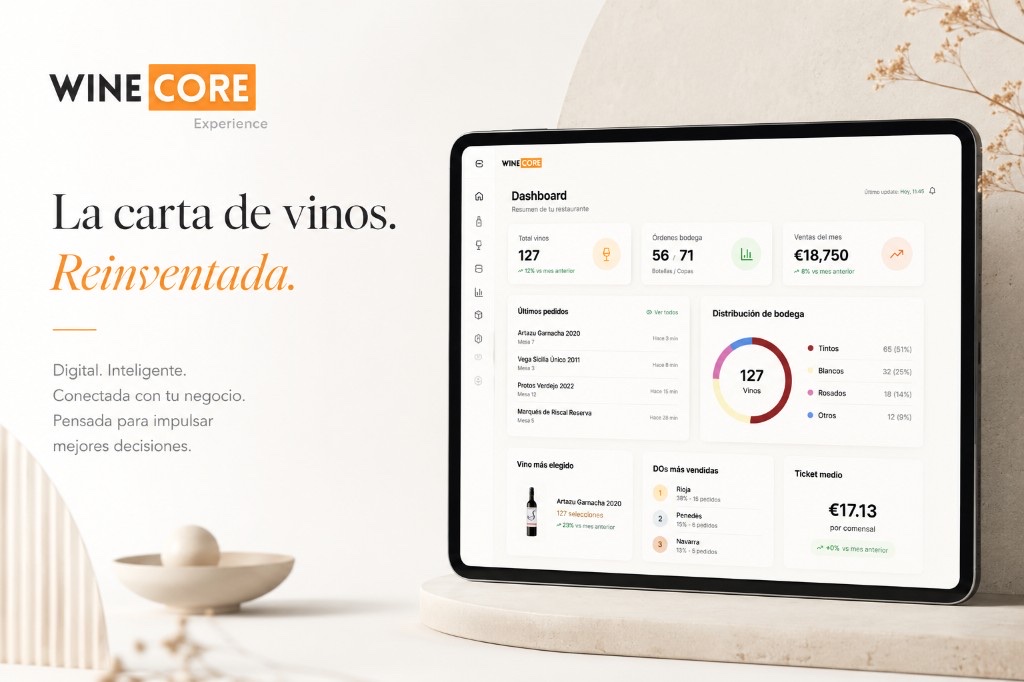
Depending on the tool, you can learn which products are browsed the most, which categories generate the most interest, which wines get the most views, which languages are used and which recommendations work. This means decisions based on data, not just intuition:
- A much-browsed wine that barely sells → review price, description or recommendation
- A profitable dish with no views → maybe it is badly placed
- A category with many views → it may deserve more prominence
- Interest in wines by the glass → it may be worth expanding that section
The digital menu can become a source of commercial insight.
The real math
The opportunity cost of continuing to print menus
Digital menus are often compared with the cost of printing physical menus. But the real cost is not just paper. You also have to consider:
- Design time.
- Reprints.
- Worn-out menus.
- Delayed price changes.
- Sold-out products still listed.
- Errors between versions.
- Lost sales through poor presentation.
- Difficulty working with languages.
- Less capacity to highlight products.
- Little flexibility for seasons.
The opportunity cost is everything the restaurant stops earning or improving by keeping a rigid menu.
A physical menu can still make sense in specific restaurants, especially premium concepts. But even then, the digital menu can complement the experience with extended information, languages, wines, pairings or recommendations.
Wine
How to digitize a wine list
The wine list deserves special attention. Many restaurants digitize the food menu but leave the wine list as a complex list of names, wineries, regions, vintages and prices. For a non-expert guest, that list can be intimidating.
A digital wine list must help guests choose.
It can be organized by
- Wine type
- Style
- Price
- Grape
- Appellation
- Pairing
- Intensity
- Wines by the glass
- Recommendations
- Restaurant selection
It can also highlight
- Wines ideal for fish
- Wines for meat
- Fresh, light wines
- Aged wines
- Wines for sharing
- Premium wines
- Local wines
- Organic wines
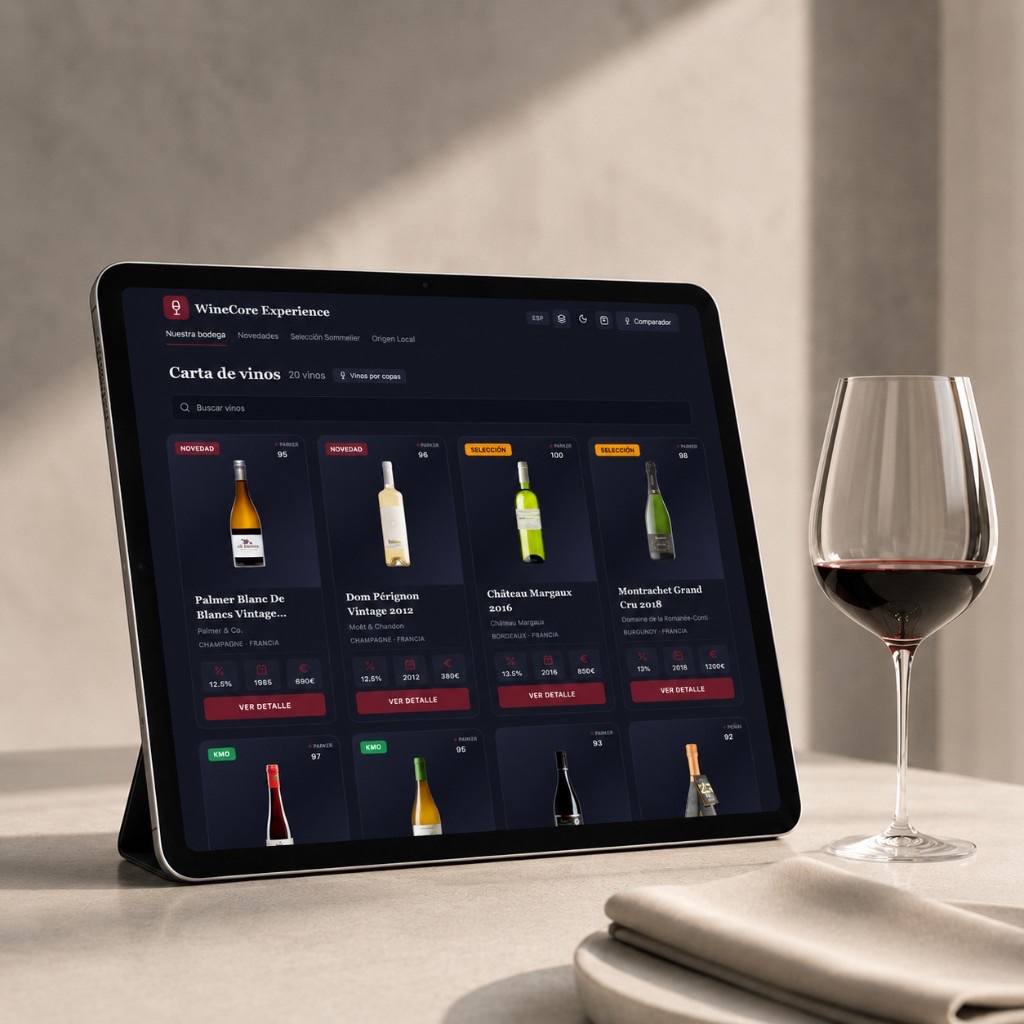
The goal is to go from a technical list to a recommendation experience. Guests do not always know which wine they want. But they can know whether they are after something fresh, smooth, intense, fruity, dry, special or suited to their dish. The digital list must translate the language of wine into the language of the guest.
Digitizing food and digitizing wine are not the same
On a food menu, guests usually understand what they are seeing. They can picture the dish, recognize ingredients and decide by appetite. On a wine list, many decisions are more abstract: the guest may not know the winery, the grape, the region or the vintage.
That is why the digital wine list needs more contextual help: wine style, main sensations, pairings, body, acidity, sweetness, tannins, type of occasion, restaurant recommendation and availability by the glass.
This is where a specialized solution can deliver far more than a PDF.
What to avoid
Common mistakes when digitizing a restaurant menu
These are the mistakes most worth avoiding:
Digitizing a disorganized menu or uploading a print-oriented PDF without adapting the menu to mobile.
Using a URL that changes every time and not testing the QR before printing.
Using low-quality photos, not updating prices, keeping sold-out products and not reviewing allergens.
Not training the floor team, not working languages and not highlighting strategic products.
Not measuring results, thinking the QR is the goal and not distinguishing between the general menu and the wine list.
Believing that digitizing is a technical job. In reality, it is a job of experience, operations and sales.
Decision
How to choose the tool for your digital menu
What a good tool should allow
- Editing products easily.
- Updating prices instantly.
- Creating several menus.
- Managing languages.
- Adding allergens.
- Uploading photos.
- Creating clear categories.
- Generating a stable QR.
- Adapting to mobile.
- Hiding sold-out products.
- Highlighting recommendations.
- Managing a wine list.
- Showing pairings.
- Analysing browsing.
- Providing support.
- Not forcing guests to download an app.
For a restaurant, the best tool is not necessarily the one with the most features. It is the one that best solves its daily operations and improves the guest's real experience.
When a basic digital menu is enough
- You have a short menu.
- You change products a few times a year.
- You do not have many languages.
- You do not work with a large wine list.
- You do not need recommendations.
- You do not care about analysing behaviour.
- You only want a QR-accessible menu.
When you need a more advanced menu
- You have a wine list.
- You want to highlight products.
- You change prices frequently.
- You have dishes or wines out of stock.
- You welcome tourists and want several languages.
- You want to recommend better and measure interest.
- You want to stand out from other restaurants.
The leap from a basic menu to an advanced one does not depend only on the size of the restaurant. It depends on how much value the menu can bring to sales and the experience.
Strategy
How to use the digital menu to sell more (without losing elegance)
Digitize without losing the restaurant's elegance
Some restaurants fear that digitizing the menu will make the experience feel less refined. That happens when the digital menu is poorly designed. A good digital menu can be elegant, visual and consistent with the restaurant's brand:
- Use colors aligned with your identity.
- Keep typography legible.
- Avoid overloaded designs.
- Take care with photography.
- Write in a professional tone.
- Organize categories well.
- Highlight only what matters.
- Keep the experience fast.
Technology does not have to take away elegance. It can reinforce it when well integrated.
Recommended actions to sell more
- Highlight dishes with good margins.
- Create recommended sections.
- Add pairings.
- Show wines by the glass.
- Suggest drinks next to dishes.
- Use photos on key products.
- Create seasonal categories.
- Highlight novelties.
- Order products by profitability.
- Review which products get the most interest.
It is not about pushing guests aggressively. It is about making decisions easier. A menu that guides well sells better than a menu that merely lists.
The QR matters, but it is not the menu. It is the gateway. It must be visible, easy to scan, stable and well placed. But if the menu behind the scan is bad, the QR fixes nothing. Success depends less on the code and more on the experience it opens.
A well-designed digital menu does not remove the value of the floor team: it amplifies it. Guests can explore styles, prices and pairings on their phone, and then the waiter can reinforce the decision with a more personal recommendation. This is especially useful with wine.
Before launching
Checklist for digitizing your restaurant menu
Before launching your digital menu, review this checklist.
Checklist: a digital menu ready to launch
Tick each point as you review it. You can download it as a PDF.
Comparison
Physical menu, PDF with QR and interactive digital menu
| Criterion | Physical menu | PDF with QR | Interactive digital menu |
|---|---|---|---|
| Price updates | Slow | Medium | Fast |
| Cost of changes | High | Medium | Low |
| Mobile readability | N/A | Average | High |
| Filters | No | No | Yes |
| Languages | Hard | Limited | Easy |
| Allergens | Static | Static | Editable |
| Stock | Manual | Manual | Updatable |
| Photos | Costly | Possible | Optimized |
| Recommendations | Limited | Limited | Dynamic |
| Wine list | Can be elegant, but rigid | Unintuitive | Guided and visual |
| Analytics | No | No or limited | Possible |
| Guest experience | Traditional | Basic | Enhanced |
FAQ
Frequently asked questions about digitizing a restaurant menu
How do you digitize a restaurant menu?
To digitize a restaurant menu, first review and organize your current menu. Then decide whether you will use a PDF, a web page or an interactive digital menu. Upload the menu to a stable URL, generate a QR code, test it on several phones, place it on the tables and set a routine to update prices, products, allergens and languages.
What is a digital menu for a restaurant?
A digital restaurant menu is an online version of the menu that guests can browse from their phone, usually by scanning a QR code. It can be a PDF, a web page or an interactive menu with filters, languages, recommendations and updated content.
Is uploading a PDF with a QR code enough?
It can be enough for small restaurants with simple menus and few changes. However, if you need to update prices, work with languages, show allergens, highlight products or manage a wine list, an interactive digital menu is usually far more useful.
How much does it cost to digitize a restaurant menu?
The cost depends on the solution. It can be almost free if you use a PDF with a QR code, or involve a monthly fee if you use a professional platform. The decision should not be based on cost alone, but on the value it delivers: updates, printing savings, better experience, languages, management and sales.
What should a digital menu include?
A digital menu should include clear categories, product names, prices, short descriptions, allergens, languages if needed, selected photos, recommendations and navigation adapted to mobile.
Where should the menu QR code be placed?
The QR can be placed on tables, vertical stands, printed menus, the bar, the terrace, the entrance or reception. What matters is that it is visible, easy to scan and accompanied by a clear message.
Does a digital menu replace the physical menu?
Not always. Some restaurants combine both. The physical menu can remain as a brand element or for certain guests, while the digital menu provides updates, languages, extended information and recommendations.
How do you digitize a wine list?
To digitize a wine list, structure it by wine type, style, price, grape, appellation, pairing and availability. The key is to help guests choose, not just display a list of bottles.
What is the difference between a digital menu and an interactive menu?
A digital menu can simply be an online version of the menu. An interactive menu allows better navigation, filtering, recommendations, language switching, extended information and easier content updates.
Can a digital menu help sell more?
Yes, if it is well designed. It can highlight profitable products, show recommendations, improve presentation, make pairings easier, reduce doubts and help guests make decisions with more confidence.
Conclusion
Digitizing is not uploading a PDF, it is improving the experience
Digitizing a restaurant menu should not be a technical formality. It should be a strategic decision.
A QR can be useful, but it is not enough on its own. A PDF can solve a basic need, but it does not always improve the experience. A well-designed digital menu can do much more: organize the offer, update prices, show languages, highlight recommendations, manage availability and help guests decide.
The difference between an average digital menu and a good one lies in the experience the guest lives. If they scan and find a static list, the digitization stops halfway. If they scan and find a clear, visual, updated and guided menu, the menu becomes a sales tool.
And this is especially important for the wine list, where many guests need help choosing, understanding styles, comparing prices and finding a bottle that fits their dish.
From static menu to experience
With WineCore Experience, the QR stops being mere access to a static list and becomes the entrance to a digital recommendation experience. Guests can discover wines more intuitively, the restaurant can highlight strategic references and the floor team gains a tool to sell better.
Want to turn your wine list into a more visual, intuitive and profitable digital experience? Digitizing the menu is the first step. Turning it into an experience is what really makes the difference.